Markdown in. Widgets out.
mdit turns a single line of markdown into rich, dynamic content — no SDK, no build step, no deploy.
The core idea
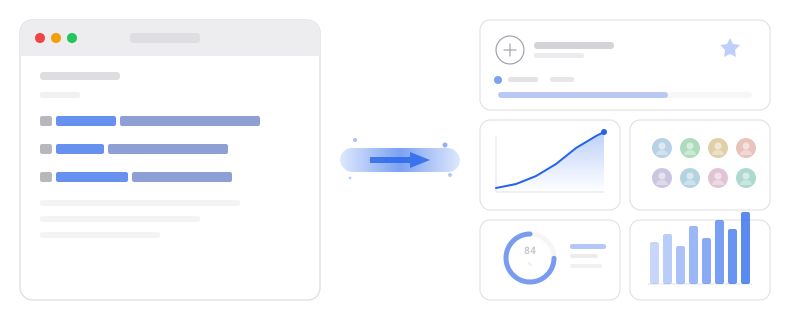
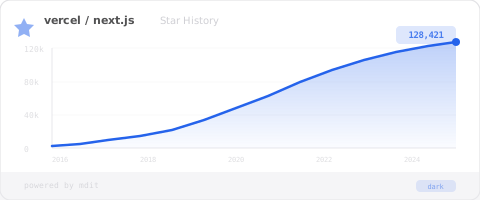
Every mdit widget is a URL. Write it in markdown, and mdit renders it into a live visual — a chart, a card, a diagram — wherever markdown is supported.
Markdown
You write a widget link
Widget System
mdit maps it to a component
Render Engine
Generates the output on the edge
Output
PNG, SVG, or interactive embed
Three steps. Sixty seconds.
From zero to a live widget in your README — no account required.
Pick a widget
Browse the gallery — repo cards, charts, diagrams, social cards, and more. Each widget has a live preview so you know exactly what you'll get.
Customize it
Open it in the playground. Tweak colors, data sources, and layout. Every change updates the preview instantly — feedback in under a second.
Embed anywhere
Copy one line of markdown. Paste it into your GitHub README, blog post, Notion page, or any markdown-supported platform. Done.
Anatomy of a widget
Every widget is just a URL with parameters. Here's what's inside.
Works everywhere markdown lives
If it supports markdown images, it supports mdit widgets.
GitHub
READMEs, issues, PRs, wikis, and profile pages
Notion
Embed widgets in any Notion page or database
Blogs & Docs
DEV.to, Medium, Hashnode, MkDocs, Docusaurus, and more
Any CMS
Anywhere that renders markdown images — it just works
Why developers choose mdit
Zero friction
No SDK to install, no build step, no deployment pipeline. One line of markdown is all it takes.
Instant preview
Every parameter change reflects in real-time. The feedback loop is under one second.
URL as product
Every widget configuration is a permanent, shareable, cacheable URL. Bookmark it, share it, fork it.
Edge-rendered
Widgets render on Cloudflare's edge network. Fast globally, cached automatically.
No account required
Start generating widgets immediately. Sign up only when you want to save and manage your creations.
Community-driven
One-click fork any widget. Remix, customize, and share your own variations with the community.
Ready to try it?
Pick a widget, customize it, paste it. Your first widget is 60 seconds away.